Create an illustration of a calculator with a sleek design, high-resolution, focus on button details, top-down view, digital art style, using a full-frame camera setting, aperture f/4, ISO 100, and natural lighting for clarity.
Generate a high-resolution image of a whimsical, stitched plush toy with blue button eyes and a pink patch on its chest, captured with a Nikon D850 camera, 50mm lens, f/2.8 aperture, ISO 100, and a soft-focus background to enhance depth.
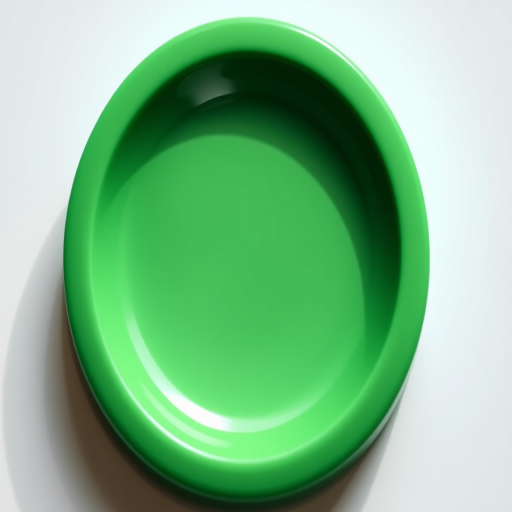
Create a high-resolution image of a blank grey oval button with a subtle gradient, using a DSLR camera with a 50mm lens, aperture set to f/1.8, ISO 100, and a soft focus background to enhance the clarity and smoothness of the button's surface.
Create an abstract digital image featuring a hand pressing a colorful power button surrounded by varying sized, vibrant circles in a soft gradient background, captured with a 50mm lens at f/1.8, ISO 200, with a shallow depth of field for a smooth bokeh effect, using a mirrorless camera in HDR mode.
Generate an image of a shopping cart icon on a glossy button with a hand pointer hovering above it, surrounded by various social media icons in blue, with a DSLR camera, f/2.8 aperture, ISO 100, 50mm lens, natural light, in a close-up view to enhance detail and clarity.
Create a high-resolution circular button icon featuring a bold red "X" symbol over a green background with a glossy finish, soft lighting, and a subtle shine effect, captured with a Canon EOS 5D Mark IV using an f/2.8 aperture, ISO 100, and a 50mm lens in a macro style for enhanced detail.
Create a high-resolution image of a minimalist video player interface with a large triangular play button in the center, using a Canon EOS R5 camera, aperture f/5.6, ISO 100, and a 50mm lens, capturing the screen at an angle to showcase the button and controls clearly.
A glossy red YouTube logo with a white play button centered, shot with a Canon EOS R5 at f/2.8, ISO 100, 50mm lens, in a studio setting with soft diffused lighting and a gradient background for depth.
Create an image featuring a bold red rectangular button with the word "SUBSCRIBE" prominently displayed in white text, capturing it with a DSLR camera at f/2.8 aperture, 50mm lens, and a slight vignette effect to enhance focus on the button against a clean black background.
Create a high-resolution digital artwork of a hand pressing a blue circular button labeled "Stress Level" on a sleek black interface, using a Canon EOS R5 with a 24-70mm f/2.8 lens at f/4, ISO 100, in soft natural lighting, top-down view for clarity and detail.
Create a minimalist design of a hand pressing a large red YouTube "SUBSCRIBE" button with a play icon on a bright blue background, using a DSLR camera with a 50mm lens, aperture f/1.8, ISO 100, and a low-angle view for emphasis on the button.
Create a high-resolution image of a pink play button icon with a white triangular play symbol in the center, using a 50mm lens, aperture f/2.8, ISO 100, top-down view, and digital illustration style.
Create a vibrant, high-resolution image of a red circular button with the word "SUBSCRIBE" in bold white font, featuring a hand pointing to it, captured with a DSLR camera at f/2.8 aperture, 50mm lens, ISO 100, in a well-lit studio setting with a soft-focus background.
Close-up of a computer keyboard with a prominent blue button labeled Google It, focus on the button with a hand pressing it, aperture f/2.8, ISO 100, 50mm lens, shallow depth of field, soft background blur, taken with a DSLR camera.
A glossy red button with a metallic silver border, captured in macro view using a DSLR camera, aperture f/2.8, shutter speed 1/100s, and ISO 100 for high detail and vibrant colors.
Create a high-quality image of a blue rectangular button with white bold text "FIND OUT MORE" centered on it, using a Canon EOS R5 camera with an aperture of f/2.8, ISO 100, and a focal length of 50mm, in a front view with soft lighting to enhance clarity and contrast.