Generate a high-resolution image of a four directional arrow symbol in bright green, using a DSLR camera at f/8 aperture, ISO 100, with a 50mm lens, captured from a top-down view in a flat lay style.
Create a flat vector graphic of a dartboard with three arrows hitting the center, using a warm brown background, employ a 35mm lens at f/8, shot from a top-down view with a DSLR camera for high detail and clarity.
Create a vibrant gradient button with a smooth transition from purple to orange, featuring a bold yellow arrow pointing right, captured with a Canon EOS 5D Mark IV, 50mm lens, aperture f/2.8, ISO 100, in natural light for enhanced color clarity.
Create an image of a stylized globe with blue oceans and green continents, surrounded by three green recycling arrows; use a Canon EOS 5D Mark IV with a 24-70mm f/2.8 lens, set the aperture to f/8, ISO at 100, and capture from a high-angle view, with vivid colors and sharp details.
create a dynamic composition featuring a red mannequin in the foreground with an abstract background of colorful arrows and symbols, using a DSLR camera at 50mm f/1.8 aperture, ISO 200, with a shallow depth of field to enhance focus on the mannequin while softly blurring the vibrant background.
Create a minimalist logo featuring two circular arrows representing refresh, with a soft drop shadow effect, shot in high resolution using a DSLR camera, 50mm lens, f/1.8 aperture, ISO 100, natural light, centered view.
Create an image of a professional woman holding a presentation board with colorful bar graphs and an upward trending arrow, captured with a DSLR camera at f/2.8 aperture, ISO 200, 50mm lens for sharpness and depth of field, in a bright, well-lit office environment.
Create a vector illustration featuring a hand pointing at a red upward arrow, with a green and yellow pie chart in the background, a pencil, and a ruler nearby, in a minimalist style with a soft gray background, using a Canon EOS R5 camera, with a focal length of 50mm, aperture set to f/8, and a soft diffused lighting setup to enhance colors and clarity.
Create a high-resolution minimalist design featuring a centered circular button with upward and downward arrows inside, using a Canon EOS R5 camera, aperture f/2.8, shutter speed 1/250s, ISO 100, with a 50mm lens and a shallow depth of field for enhanced focus on the button.
Create an illustration of two hands holding smartphones, transferring a dollar bill between them with arrows indicating movement, using a high-resolution digital art style, with a close-up view at a 45-degree angle, shot on a Canon EOS R5 with a 24-70mm f/2.8 lens, aperture set to f/8 for sharp detail and vibrant colors.
Create a high-resolution glossy blue arrow graphic on a transparent background, using a DSLR camera with an aperture of f/2.8, ISO 100, and a shutter speed of 1/60 seconds, taken from a frontal view with a macro lens.
Create a seamless pattern of small, evenly spaced silver arrows on a light gray background, captured with a Canon EOS R5, 50mm lens, f/8 aperture, ISO 100, and a top-down view to enhance clarity and details.
Create a high-resolution image of a green symbol with a central circle and four arrows pointing inward, use a Canon EOS R5 camera, aperture f/4, ISO 100, 50mm lens, shot in a flat lay style to enhance clarity and color vibrancy.
Create a high-resolution image of a colorful arrow shape filled with circular patterns, using a DSLR camera with a 50mm lens, aperture set at f/2.8, ISO 100, and a bright studio backdrop to enhance colors and contrast.
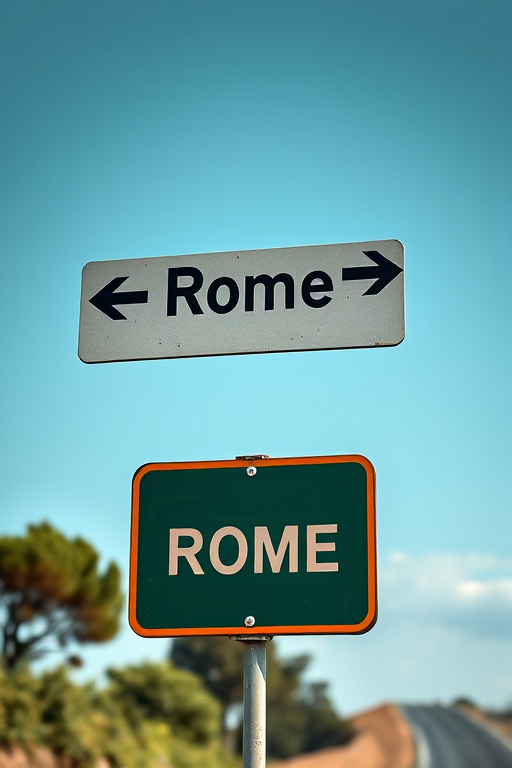
Create a high-resolution image of a road sign indicating directions to Rome, with multiple arrows pointing in different directions, captured using a DSLR camera at f/8 aperture, ISO 100, 24mm focal length, with a vibrant color profile and sharp focus.
Design a vibrant logo featuring a red circular arrow pointing left and a green circular arrow pointing right on a white background, captured with a DSLR camera at f/8 aperture, 1/200 sec shutter speed, using a wide-angle lens for clarity and depth.